Your Phone Can Serve Many Purposes, Not Just Gaming and Messaging!
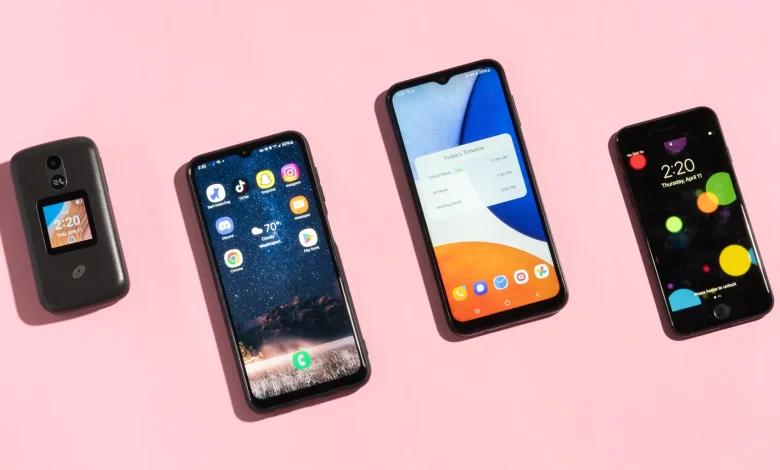
Mobile phones have become our main companions in daily life. They fit right into our pockets and handle countless needs throughout the day. The most obvious example is messaging, where, in a few clicks, we can contact or video call anyone on our contact list. This keeps relationships strong and makes coordination simple.
They’ve also become our go-to devices for entertainment, especially for those who like online casino games. Casino fans, in particular, use their phones to log in, play slot games, or join live tables with ease, often as a quick break from the day.
Still, phones offer more than just communication and gaming. There are other ways they help us manage time, stay informed, and make daily tasks easier than ever.
1. Navigation
Smartphones have made finding your way around easier than ever. With apps like Google Maps, Waze, and HERE WeGo, users can get real-time directions, live traffic updates, and accurate travel times.
Features like lane guidance and speed limit alerts reduce guesswork while traveling. You can also download offline maps before heading somewhere remote. Augmented reality in Google Maps even helps with walking directions in busy areas, pointing out exactly where to turn on-screen.
Apps like Moovit and Transit also help plan public transport routes, showing schedules, delays, and nearby stations. For cycling, Komoot and Strava give route suggestions based on difficulty and distance.
2. Health Apps
Apps like Apple Health, Google Fit, and Samsung Health monitor daily steps, heart rate, and sleep. With simple dashboards, users can follow progress and adjust habits over time.
Food and nutrition tracking is handled by apps like MyFitnessPal and Yazio, which scan barcodes and calculate calories. Meditation and mental health support are built into tools like Headspace and Calm, with guided breathing or focus exercises available on demand.
Many of these apps pair with wearables like the Apple Watch or Fitbit for deeper tracking. The result is a routine that builds gradually, backed by data that’s easy to understand and act on.
3. Organization
Smartphones can also help organize daily tasks without a desk. Apps like Google Calendar and Microsoft Outlook sync events across devices and send reminders when it’s time to focus. For quick notes, Evernote, Notion, or even simple voice memos store information in seconds.
Working professionals often rely on Microsoft Office Mobile or Google Docs to edit files, write reports, or join meetings directly from the phone. These platforms support real-time collaboration, no laptop required.
Adobe Scan and CamScanner turn your camera into a portable scanner, letting you scan receipts or paperwork instantly. Tools like Forest or Focus To-Do also block distractions while you work, helping you stay productive without burning out.
4. Study Tools
Learning new things doesn’t require a laptop anymore. Apps like Khan Academy, Coursera, and Udemy offer courses in math, science, or business with short, structured lessons. Many include video, interactive tests, and certificates.
For language learning, Duolingo, Babbel, and Memrise break lessons into five-minute chunks that are easy to keep up with. E-book platforms like Kindle and Libby bring entire libraries to your phone. Audiobook apps like Audible and Storytel make it possible to absorb new material during commutes.
Even casual learning is covered. Wikipedia, Wolfram Alpha, or Brilliant give quick answers and explanations when curiosity strikes. With the right setup, free time becomes useful progress without pressure.
5. Finances
Mobile banking has become a daily habit for millions. Revolut, Monzo, or Chime let users check balances, move money, or schedule payments in seconds.
Tools like YNAB (You Need A Budget) or Spendee help people track where their money goes. They group expenses into categories, flag overspending, and show areas where a budget slips. This kind of visibility makes it easier to stay in control without juggling paper receipts.
Investing has also moved into the pocket. Robinhood or Freetrade give users quick access to stock portfolios, price alerts, and basic market analysis.
6. Creative Work
Smartphone cameras do more than take photos; they now support full-scale content creation. Most users rely on built-in tools, but many turn to Snapseed for image editing, or VSCO for clean filters and color grading.
Video creators lean on CapCut or InShot to edit clips, add effects, and sync music. It takes minutes to trim footage into something ready to share. Artists use apps like Procreate Pocket to sketch or paint directly on the screen, while others try AR-based tools to design layouts or preview decor ideas in a room.
7. Managing Home Devices
Smartphones have become remote controls for entire homes. Google Home, SmartThings, or HomeKit connect directly to lights, locks, and appliances. A few taps adjust the thermostat or turn off the coffee machine from anywhere.
Voice assistants like Alexa and Google Assistant can schedule daily tasks or control multiple devices at once. This integration truly makes everyday tasks more efficient.
